Edge control

Act on the equipment, on site or from the cloud.

Our edge reads and runs your controllers and PLCs over Modbus, OPC UA, MQTT Sparkplug and HTTP, and keeps working when the link drops. On a plant floor, we work through the HMI you already have.

Used in:Edge control

Controllers and meters already on the wall

The edge reads and writes controllers, meters, weather stations and I/O cards over Modbus TCP and RTU, OPC UA, MQTT Sparkplug and HTTP, plus 4–20 mA, 0–10 V, thermistor and pulse inputs; PLCs and building systems connect through an industrial connector we deploy where a site needs it, over 5G or LoRaWAN where there is no wire. Your devices work alongside ours; you keep what you have. A channel that fails is flagged, not logged as zero.

OnOneIoT Edge

Used in:Edge control

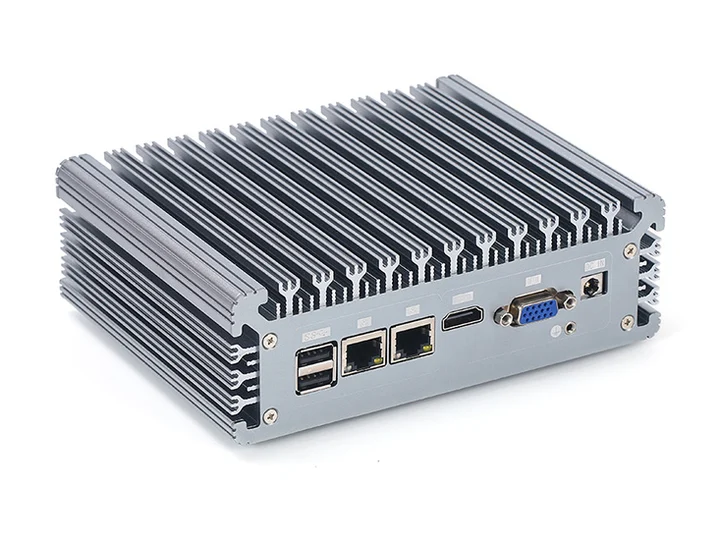
The OneIoT edge, a fanless industrial computer, with its ports on the front.
Port 1 · RTU I/O cards 1–4Port 2 · TCP controller 10.0.3.21Channel 5 · fault flagged, not 0
  • Port 1 · RTU I/O cards 1–4
  • Port 2 · TCP controller 10.0.3.21
  • Channel 5 · fault flagged, not 0

Each zone held at its setpoint, day and night

Loops, schedules and conditions run on the edge itself, within the limits you set, so each zone acts on its own readings on site.

OnOneIoT Edge

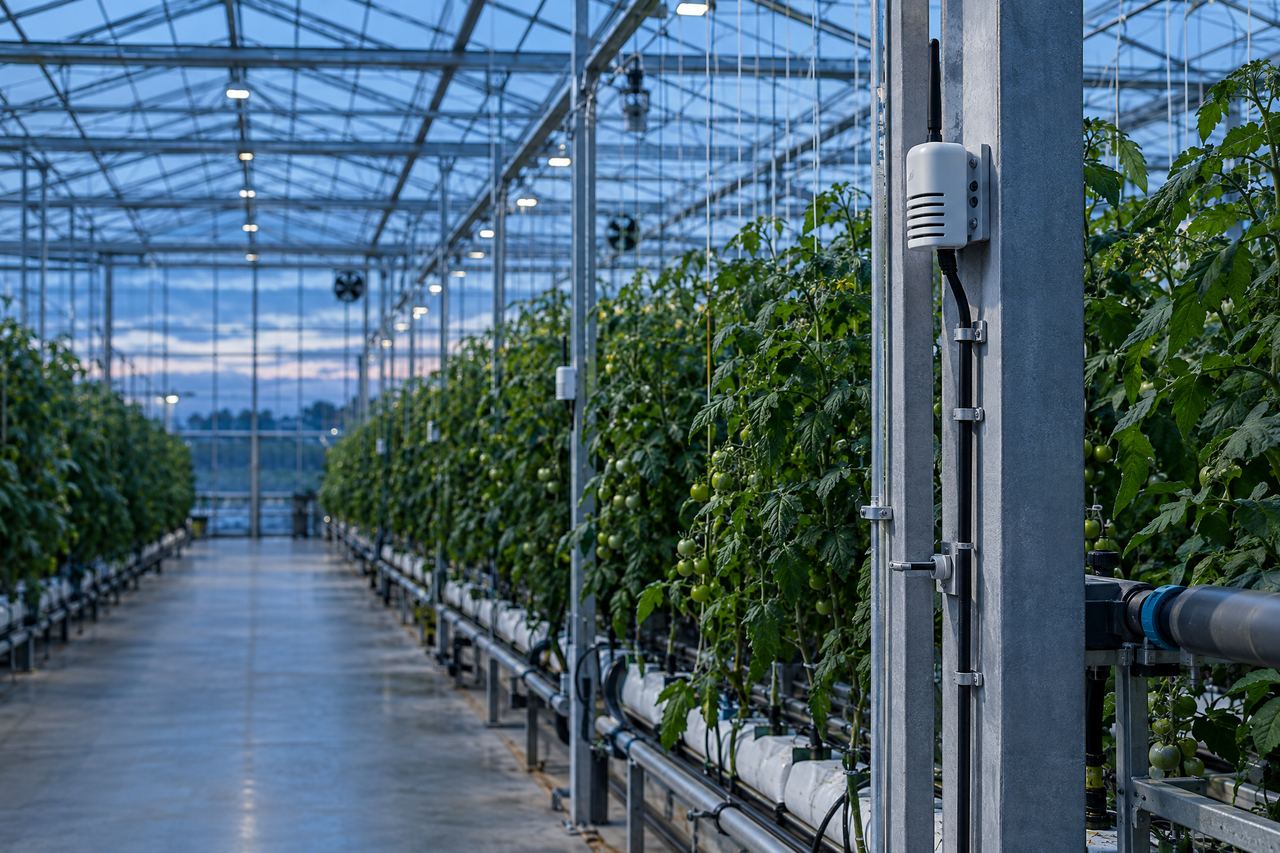
Rows of plants in a controlled greenhouse.
Zone 2 19.9 °C · setpoint 20 °CFan 2 on by rule · 1:40 PM
  • Zone 2 19.9 °C · setpoint 20 °C
  • Fan 2 on by rule · 1:40 PM

The internet link drops

If the link drops, control carries on and readings are logged on site. Readings, alarms and any changes made on site upload when the link is back.

Used in:Edge control

LinkOffline 2:10 AM–2:52 AM
  • Alarm · Zone 2 · 2:31 AMHigh temp · synced
  • Setpoint set on site19 °C · synced 2:52 AM

A controller loses the edge

If a controller hears nothing from the edge for the time you set, the outputs the edge drives switch off and stay off until it takes over again, and the alarm goes out — as it does for a sensor fault, a reading out of range or a controller offline.

Used in:Edge control

150 s

If a controller hears nothing from the edge for 150 seconds — a time you can change — the outputs the edge drives switch off until it is back, and the on-call person hears.

Controller 2 · link to the edge lost 2:02:10 PM

The line has to stop, and the operator needs to know why

On a plant floor we work through the HMI already there: line status and stoppage reasons come in, and when a process stays out of limits a workflow stops the line through the HMI, where the HMI accepts a stop command, with the reason on screen. Running today at Gloster Cables, with Elogictech Edge.

OnYour line's HMI

Used in:Edge control

Line 3 · via HMI
  1. Process out of limitsHeld 2 min before acting
  2. Stop sent to the HMIReason shown on screen
  3. Reported: line stoppedShift lead notified
  4. Reported: running againRestarted on the HMI

Setpoints to change, with no one on site

Setpoints, ports and programs change remotely and apply on the edge without a restart. A device with no edge takes the command through its device shadow, which keeps the wanted and the reported state. Software updates reach each controller over the internet, with a check first.

Used in:Edge control

Stop a line from a workflow: Rules & workflows →
Zone 2 setpoint · remote
Wanted
20 °C
Set from the office · 1:38 PM
Reported
20 °C
1:38 PM · wanted and reported match

Where it runs

Controlling equipment today.

  • 6processes on one line

    Elogictech Edge at Gloster Cables

    Line status and stoppage reasons from the HMI; OneIoT stops the line with the reason on screen.

  • 500+acres of greenhouses

    A greenhouse-controls maker

    Its next-generation controller runs on our edge and cloud: control on site over Modbus, remote access and updates — at four of its customers' sites.

  • 2state governments

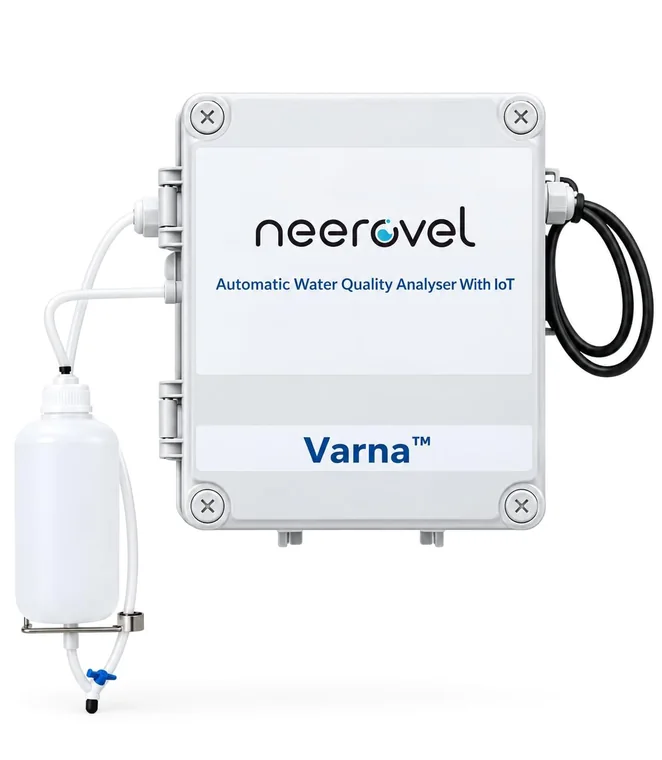
    Neerovel's water-quality sensor units.

    Neerovel

    Water-quality sensors and pumps on city water distribution in Telangana and Andhra Pradesh, monitored and controlled.

Questions

Before you ask.

Something we haven't answered? Ask it on the call, or write to [email protected]

Also in OneIoT:Monitoring & tracking · Fleet & routes · Alerts & incidents · Rules & workflows · Dashboards & twins

Do we have to replace our controllers?

No. The edge talks Modbus, OPC UA, MQTT Sparkplug or HTTP to what you have, reaches PLCs through an industrial connector, and on a line we work through the HMI already there.

What if the internet goes down?

Control keeps running on site and everything syncs when the link returns.

Which controllers can it talk to?

Controllers, meters and I/O on Modbus TCP or RTU, OPC UA, MQTT Sparkplug or HTTP, plus 4–20 mA, 0–10 V, thermistor and pulse inputs. PLCs and building systems — EtherNet/IP, BACnet, IEC 60870-5-104 and more — connect through an industrial connector we deploy where a site needs it. Connectivity over 5G or LoRaWAN. On a line with an HMI, we work through the HMI.

Can AI change a setting?

Only through the control program on site, within the limits that program sets. Every command is on record.

Where to start

Start with one site, and the devices it needs.

  1. Call

    A thirty-minute callYour sites, what goes wrong today, and who answers.
  2. Outline

    A written outlineWhat we connect, what you already have that stays, and where we start.
  3. Your sites

    We start with those sitesOur team installs it, sets it up with you and runs it.
  4. Results

    Your results, on recordWhat it recorded, what it caught, and how fast each one was answered.

Then a written rollout plan and a monthly price per site or per tracked device.

Start with your sites

Sent straight to our team. We use your details only to reply. Privacy policy

Making cold rooms, freezers or machines? Sell them connected, under your name

Start with your sites

Tell us about your sites. We reply to set up a thirty-minute call, then send a written outline.

  1. A thirty-minute callYour sites, what goes wrong today, and who answers.
  2. A written outlineWhat we connect, what you already have that stays, and where we start.
  3. We start with those sitesOur team installs it, sets it up with you and runs it.
  4. Your results, on recordWhat it recorded, what it caught, and how fast each one was answered.
Prefer to talk now?
+91 90005 22411WhatsAppCall
Sent straight to our team. We use your details only to reply. Privacy policy

Book the scoping call.

Thirty minutes with a sales engineer, on what you run and what you need to see.

The product, the hardware you have already chosen, and what your customer pays for.

No slide deck, no obligation.

Or email [email protected] directly.